OvO Unblocked — Play Free Online
More Runners & Arcade games
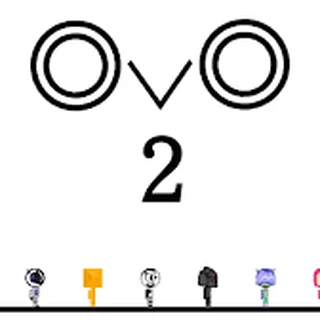



OvO unblocked: play OvO online free right here in your browser — no download, no sign-up, works on a school Chromebook.
What is OvO?
OvO is a high-speed 2D parkour platformer developed by Dedra Games, centered on agile movement and acrobatic momentum. You control a minimalist stick runner navigating compact obstacle layouts where every leap, slide, and wall rebound must be executed with accurate timing. Instead of relying on power-ups or weapons, your progress depends entirely on mastering kinetic handling and finding the quickest path to each stage's flag. It launches directly inside your web browser on Draw the Hill, requiring no setup or file downloads.
Key features
- Refined movement physics: Seamlessly transition between running, leaping, sliding under barriers, and diving across open gaps.
- Forty obstacle courses: Tackle 40 levels filled with moving hazards, sharp spikes, and tight environmental puzzles.
- Dual challenge settings: Play in easy or hard mode depending on your personal appetite for platforming difficulty.
- Optional coin collection: Discover large collectible coins placed in precarious spots throughout each stage to maximize stage scores.
- Customizable character skins: Spend earned coins to unlock fresh visual styles and outfits for your runner.
- Brisk restart cycles: Failing an obstacle instantly reloads the current stage so you can retry sequences without waiting.
How to play
- Start the level and observe the layout of moving traps, floor gaps, and hazard spikes ahead.
- Build forward momentum along flat ground by maneuvering your runner toward the opening platform.
- Combine jumps and low slides to bypass overhead barriers and clear wide pits cleanly.
- Gather hidden coins if you want extra points and savings for the skin shop before advancing.
- Touch the finish flag at the end of the course to conclude the run and unlock the next trial.
Controls
| Action | Keyboard / mouse | Touch |
|---|---|---|
| Move left or right | Left and right arrow keys | On-screen steering buttons |
| Jump or double jump | Up arrow key | On-screen leap button |
| Slide or dive downward | Down arrow key | Downward swipe or button |
Momentum and parkour physics
The underlying appeal of OvO stems from how smoothly its actions chain together. Dropping out of a high jump directly into a downward slide preserves horizontal speed, allowing your character to slip beneath low ceilings without stalling. Similarly, leaping immediately as a slide finishes converts forward drift into a long-distance vault. Mastering these fluid transitions lets you navigate complex spike layouts in a continuous motion rather than stopping at each platform edge.
Environmental interactions also reward decisive reflexes. Touching a vertical wall lets you push away for a wall bounce, regaining vertical clearance to reach elevated ledges. Because stages feature strictly geometric shapes, every surface behaves predictably, letting players refine exact inputs until difficult runs feel second nature.
Tips and strategy
- Survey before sprinting: Take a brief moment at the start of a stage to scan where hazards move and identify your landing zones.
- Chain slides into jumps: Sliding along slopes or flat surfaces builds forward velocity that boosts your subsequent jump distance.
- Prioritize survival over coins: When first tackling a difficult course, focus on reaching the flag before attempting risky coin detours.
- Use double jumps conservatively: Save your second leap until the peak of your ascent to gain maximum height and distance over wide pits.
- Commit to the rhythm: Hesitating mid-stride often causes mistimed jumps; smooth, continuous movement makes obstacle spacing easier to judge.
Game modes
Easy mode
Easy mode provides a forgiving way to learn courses, test momentum chains, and discover coin locations without punishing time pressures or restrictive obstacle conditions.
Hard mode
Hard mode introduces harsher obstacle timing and demands near-flawless execution, testing how well you have internalized parkour transitions across all 40 levels.
Versions and similar games
If you enjoy the precision requirements of OvO on Draw the Hill, several companion titles on the site offer related challenges through distinct mechanical angles. In Draw the Hill, rather than controlling a runner directly, you sketch terrain with virtual ink to guide a rolling vehicle across dangerous gaps. Draw the Road takes that concept further into urban obstacle layouts where pen strokes build bridges for moving cars. For players who prefer vehicle handling with tricky physical balance, Hill Climb Racing Lite delivers momentum-based hill climbing over uneven ridges. While Draw the Hill emphasizes creative route sketching, OvO delivers immediate stick-figure reflex platforming.
Developer and history
OvO was created by indie development team Dedra Games, initially arriving in 2018 before expanding across modern web platforms. The title earned a dedicated following in the browser gaming community thanks to its responsive controls and satisfying speedrun dynamics. The HTML5 edition available on Draw the Hill delivers the full original experience with zero setup.
Questions about OvO
Is OvO unblocked at school?
OvO runs in an ordinary browser tab from drawthehill.org, with nothing to download or install, so it plays on most school Chromebooks and work computers. If a network filter blocks the site, only that network's administrator can change it.
What is the primary objective in OvO?
Your objective is guiding the stick runner across platforms, avoiding hazard spikes, and touching the endpoint flag to finish each stage.
How many stages are available to play in OvO?
The game contains 40 levels that introduce escalating traps, jumping sequences, and collectible coins across both easy and hard modes.
Who created OvO and what platform does it run on?
OvO was created by indie developer Dedra Games and runs directly in modern desktop and mobile web browsers without extra installations.
How do controls work when playing OvO on Draw the Hill?
You navigate using the keyboard arrow keys to move left, move right, and jump, or use touchscreen gestures on supported mobile devices.